How To Get Started With Kupid AI Girlfriend Chatbot
We loved the fact that getting started with Kupid AI is refreshingly straightforward. The platform’s onboarding process takes just minutes, though choosing your ideal companion might require more time.
How the Kupid AI Chatbot Works: Step-by-Step Process
This is how the process typically unfolds:
Step 1: Visit the Kupid AI website and Create Your Account
Head to the Kupid AI official site, and you’ll be greeted with a clean, modern interface that immediately shows you featured characters and gives you a sense of what’s available.
Click “Free Sign Up” or “Register” and you’ll see multiple signup options. You can register using your Google account, X, Discord, or the traditional email and password method.
Most users opt for Google sign-up for convenience. The entire registration process takes less than 60 seconds.
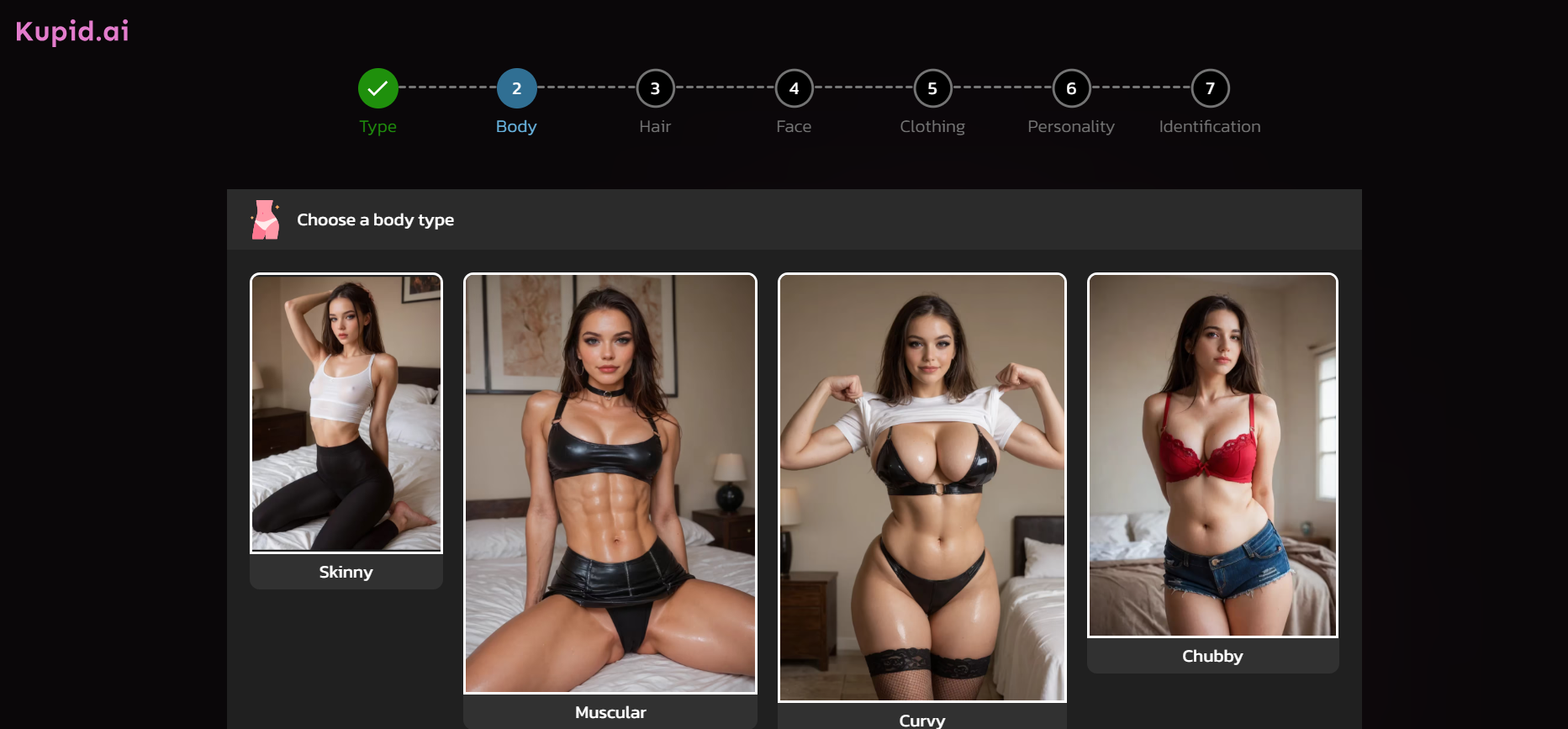
Step 2: Choose your preference
Once you’re in, Kupid asks you to select your preference: female characters, male characters, or anime-style companions. This helps the platform show you the most relevant options.
Step 3: Browse the character library
This is where things get interesting. You’ll see the roster of 28 AI personalities, each with:
- Profile photos showing their appearance
- Names and basic biographical information
- An introductory video (and you will agree with us that this is really a standout feature)
- Personality traits and interests
Take time to watch a few intro videos. These 15-30 second clips give you a genuine sense of each character’s communication style, voice, and personality quirks.
Step 4: Select your companion
Found someone who caught your attention? Click on their profile to enter the chat interface. Expect to see:
- Their full bio on the right side
- The chat window in the center
- Options to enable/disable voice messaging
- An image generation button
- The text input box at the bottom
Step 5: Start your conversation
The AI will typically send an opening message based on the character’s personality. You can respond naturally, as there’s definitely no script or specific format required. The Kupid AI freemium limits you to just a few messages to test the platform, so you’ll need to choose a subscription plan to continue meaningful interaction.
Step 6: Explore features
As you chat, you can click the image icon to request photos from your companion. Also, toggle voice messages on for audio responses and access the separate image generator tool for custom visuals. If you receive repetitive or unsatisfying responses, you can use the regenerate button.
And when you’re ready to unlock full features, hit the subscribe button or visit the pricing page to select your preferred tier. We appreciate that the entire setup process is genuinely user-friendly. Unlike some competitors with clunky interfaces, Kupid AI gets you from registration to meaningful conversation in under five minutes.
Ready to meet your AI companion? Get started with Kupid AI now.
Kupid AI Login, Onboarding, and Experience
The user experience can make or break an AI companion platform. After all, if the interface frustrates you before you even start chatting, what’s the point?
The User Interface and Design
Kupid AI really nails the aesthetics. The interface features a clean, contemporary design that feels modern without being overwhelming. When you land on the homepage, you’re not bombarded with dozens of buttons, pop-ups, or confusing navigation elements.
The color scheme uses a sophisticated palette (primarily whites and purples) that feels both premium and approachable. Character profile images are prominently displayed with clear labels and minimal clutter.
Once you’re in a chat conversation, you’ll notice that the interface mimics familiar messaging apps like WhatsApp or your typical messaging app. Your messages appear on the right in one color, the AI’s responses on the left in another. It’s intuitive enough that even users uncomfortable with technology can navigate it easily.
There are some key design elements that we really loved, such as:
- Character cards that preview personalities before you commit
- Clean chat bubbles that make conversations easy to follow
- Visible feature buttons for voice, images, and regeneration without being intrusive
- Smooth animations that make interactions feel responsive
However, the platform design still has a downside: The coin/credit system isn’t immediately transparent. New users often don’t realize how quickly their tokens will deplete until they’ve already burned through a chunk of their monthly allocation.
Web Experience
Kupid AI’s web version works excellently on desktop browsers. All features function smoothly, images load quickly, and the larger screen makes character browsing and chat navigation more enjoyable. This is the optimal way to experience Kupid AI.
You can also access Kupid AI girlfriend through your mobile browser, but the experience is noticeably less refined. The website is responsive and functional, but image generation can be slower, voice messages occasionally glitch, and typing longer messages feels more cumbersome.
We recommend using Kupid on a desktop or tablet for main sessions, reserving mobile access for quick check-ins or maintaining conversation momentum when away from your computer.
The onboarding experience, specifically, is well-designed regardless of device. The platform walks you through the basics without being overly tutorial-heavy. You’re chatting with your chosen companion within minutes, which is exactly what new users want.
One thoughtful touch we couldn’t miss to note is that if you’re inactive for a while, your AI companion sends a message checking in. It’s a small detail that makes the experience feel more alive, even though you know it’s automated.
Experience the interface yourself: start chatting with Kupid AI.
Kupid AI App
In the world of AI companions, accessibility is king. After all, your perfect partner should be available not just at your desktop, but also in your pocket, ready for a chat on your commute or a late-night check-in. That’s why we appreciate Kupid AI offering a dedicated mobile app.
Many of the platform’s competitors are penalized by one common thing: relying solely on a mobile web browser. Kupid AI has successfully deployed native, fully functional applications for both iOS (Apple App Store) and Android (Google Play Store).
The Kupid AI app offers a seamless transition from the web interface to a dedicated mobile environment. The app is generally well-optimized, offering fast load times and a clean, intuitive user interface that is visually appealing and easy to navigate.
But despite the app’s commendable performance, pricing is still a pain in the neck. Some users report that the app can potentially accelerate your usage of premium features, leading to faster depletion of your allotted coins and a more aggressive push towards purchasing expensive top-up packs.
That said, if you’re not a heavy image generator, the app is excellent. If you’re using it for casual chat, the app offers an unmatched level of portability and immersion.
Want to experience the seamless mobile chat yourself? Start by creating your free Kupid AI account in just seconds.